

If you are a director of a UK company and you live abroad, you can verify your identity for Companies House for free with the GOV.UK One Login app. But the app only works if your passport has a chip and your phone can read it. Many directors outside the UK are missing one of the two. This guide shows you how to check both in about a minute, what the other free routes need, and what to do if none of them work for you.
How does the free GOV.UK app verify me?
The GOV.UK One Login app does not read the photo page of your passport the way a person does. It reads the small electronic chip inside the passport. The chip holds the same details as the photo page, plus a digital copy of your photo, and the app compares that copy with a short video selfie.
So two things have to be true:
- Your passport has a chip.
- Your phone can read that chip.
GOV.UK lists the phone requirements as an iPhone 8 or newer on iOS 16.7 or later, or an Android phone on Android 10 or later. You can read them here: Proving your identity with the GOV.UK One Login app.
Why does this matter now? Because Companies House will not accept your company’s next confirmation statement until every director named on it has verified. If you plan to use the free app, test it well before that date. If it does not work for you, you still have time to use another route without rushing, and without the stress of a filing that is already late. The transition period closes on 17 November 2026, but for most companies the real date is sooner.
How do I know if my passport has a chip?
Look at the front cover of your passport. The chip symbol is a small rectangle with a circle in the middle, usually near the top or bottom of the cover.
If the symbol is there, your passport has a chip and the app can probably read it. If it is not there, the app cannot read your passport, whichever country issued it.
Chipless passports are more common than people think. Some countries started issuing chipped passports only recently, and some consulates abroad kept issuing older books for years. A valid passport can still be a chipless one.
How do I check my phone for NFC?
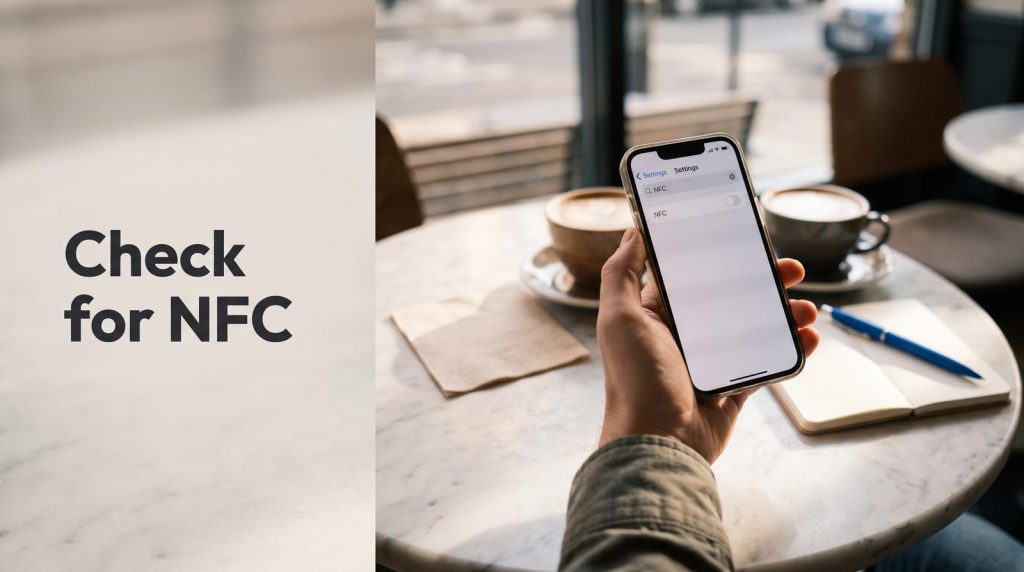
To read the chip, your phone needs NFC. NFC is the short-range reader that also lets phones pay at a card terminal. GOV.UK’s requirements list does not mention NFC, but the app cannot read a chip without it.
Do not go by the model name. The same phone model can be sold with NFC in one country and without it in another. Check your own phone instead:
- Open Settings.
- Use the search bar at the top and type “NFC”.
- If an NFC switch appears, turn it on. Your phone can read chips.
- If nothing appears, your phone has no NFC reader, and the app will not work on it.
On an iPhone 8 or newer, NFC is built in and there is no switch to find. On Android, the switch is often under Connections or Connected devices.
What about the other free routes?
There are three free ways to verify with Companies House. Each one needs something specific, and each has a catch for someone who lives outside the UK.
| Free route | What it needs | The catch for a director abroad |
|---|---|---|
| GOV.UK One Login app | A chipped passport and a phone with NFC | Many valid passports have no chip, and many phones have no NFC |
| Post Office | A UK home address and attending a branch in person | Most overseas directors have neither |
| Online questions | A UK bank account and a National Insurance number, or UK credit history | Not available to someone with no UK footprint |
There is also a fourth route run by Companies House staff, but it is by invitation only, after a failed attempt. Nobody can ask for it.
This is not a small group of people. In its equality impact assessment, Companies House counted 117,639 people already on the register, nationals of 112 countries and living overseas, who fall outside what the free service can cover. The government has never published which countries those are.
What if the face match keeps failing?
Some directors have a chipped passport and an NFC phone, and the app still fails at the selfie step. The most common reasons are simple: poor light, glasses, a hat, or holding the phone too low. Try once more in daylight, facing a window, with the phone at eye level.
If it fails again, do not keep retrying for days while your confirmation statement date gets closer. A failed app attempt is exactly the situation an Authorised Corporate Service Provider is there for.
Your one-minute checklist

- Look at your passport cover for the chip symbol.
- Open your phone’s Settings and search for “NFC”.
- If you have both, download the GOV.UK One Login app and try the free route first.
- If the face match fails, try again in good daylight, without glasses, holding the phone at eye level.
- If you have no chip, no NFC, or the app keeps failing, use an Authorised Corporate Service Provider (ACSP) instead.
Our free-route checker asks these questions for you and gives an answer in about 30 seconds.
Frequently asked questions
Is my country supported by the GOV.UK app?
There is no government list of supported or unsupported countries. What matters is whether your passport has a chip and whether your phone can read it.
Can I use someone else’s phone?
Yes. The phone only reads your passport and records your selfie. A family member’s or colleague’s phone with NFC works, as long as you are the one holding the passport and taking the selfie.
My passport has a chip but the app still fails. What now?
Try again in daylight with the passport flat on a table and the top of the phone touching the cover. If it still fails after a few attempts, an ACSP can verify you another way.
Does an ACSP charge?
Verifying direct with Companies House is free. An ACSP is a private firm and charges for its service. Launchese charges £50 for Standard and £99 for Express.
Where Launchese fits in
Launchese is registered with Companies House as an Authorised Corporate Service Provider (ACSP), number AP020671, and is supervised by HM Revenue and Customs for anti-money-laundering purposes. We verify directors and PSCs of any nationality, living anywhere, with any passport or national identity card, chip or no chip. A person on our compliance team reviews every case, and we file the result with Companies House.
Standard is £50 and takes up to three working days. Express is £99: finish your documents on a working day and we verify you that day. Both are subject to passing identity and anti-money-laundering checks. If we cannot verify you, you are not charged.
You may not need us at all. If you have a chip and NFC, start with the free app.
Prefer to talk it through? Book your free 15-min advisory call today.
Sources
- GOV.UK: Proving your identity with the GOV.UK One Login app
- Companies House equality impact assessment for identity verification
This is general information, not legal or tax advice. For anything beyond the rules explained here, check with a qualified professional.