

You have spent weeks building your product, setting up your UK company, and getting ready to accept payments. Then Stripe sends that email: “We need to review your account.”
In most cases, the problem is not your business. It is your website. Stripe’s automated systems scan every merchant website for compliance signals, and missing even one element can trigger a review, restriction, or full suspension. That is why we built the Stripe Compliance Scanner — a free tool that checks your website against the same criteria Stripe uses, and tells you exactly what to fix.
What is a Stripe compliance scanner?
A Stripe compliance scanner is a free online tool that automatically checks your website for compliance with Stripe’s payment processing requirements. The Launchese Stripe Compliance Scanner analyses over 20 factors including SSL certificates, refund policies, privacy policies, business contact information, and company registration details. It provides an instant compliance score and a detailed report with specific recommendations to fix any issues before Stripe flags your account.
What the Stripe Compliance Scanner Checks
Our scanner analyses your website across four key categories, checking over 20 individual compliance factors:
Security and Trust Signals
• SSL certificate — Is your entire site served over HTTPS?
• Mixed content — Are there any insecure elements loaded on secure pages?
• Security headers — Do you have basic security headers configured?
Legal and Policy Pages
• Refund and return policy — Is there a dedicated, findable refund policy page?
• Terms of service — Are your terms published and accessible?
• Privacy policy — Do you have a GDPR-compliant privacy policy?
• Cookie policy — Are you handling cookies transparently?
Business Identity
• Company name visibility — Is your registered business name displayed?
• Business address — Is a physical or registered office address shown?
• Company registration number — Is your Companies House number visible?
• Contact information — Can customers reach you through at least two methods?
Content and Transparency
• Product or service descriptions — Are offerings clearly described with pricing?
• Shipping and delivery information — Are delivery expectations set?
• Payment methods displayed — Do customers know how they will be charged?
• Billing descriptor — Does your trading name match what appears on bank statements?
How the Scanner Works: Step by Step

Step 1: Enter Your Website URL
Go to stripe-checker.launchese.com and enter your website address. The scanner works with any website — it does not need to be connected to Stripe yet.
Step 2: Wait for the Scan (Under 60 Seconds)
The scanner analyses your website in real time, checking each of the 20+ compliance factors. You will see a progress indicator as each category is evaluated.
Step 3: Review Your Compliance Score
You get an instant score with a traffic-light rating for each category. Green means you are compliant. Amber means there is a potential issue. Red means there is a problem that needs fixing before you apply for or continue using Stripe.
Step 4: Get Your Detailed Report
Enter your email to receive a comprehensive PDF report with specific recommendations for every issue found. The report includes priority rankings so you know what to fix first, and links to resources that can help.
How do I check if my website is compliant with Stripe requirements?
To check your website’s Stripe compliance, use the free Launchese Stripe Compliance Scanner at stripe-checker.launchese.com. Enter your website URL and the tool automatically scans 20+ compliance factors including SSL security, refund policies, privacy policies, business registration details, and contact information. You receive an instant compliance score and can get a detailed PDF report with specific fix recommendations by email.
Why We Built This Tool
At Launchese, we have helped over 10,000 international founders set up UK companies. One of the most common problems we see is founders losing access to Stripe — not because their business is dodgy, but because their website is missing basic compliance elements.
The typical story goes like this: a founder forms their UK company, gets a bank account, applies for Stripe, starts processing payments, and then two weeks later gets a restriction notice. They scramble to figure out what went wrong, lose days of revenue, and sometimes get stuck in a cycle of back-and-forth with Stripe support.
We built the Stripe Compliance Scanner to break this cycle. Instead of finding out about compliance gaps when Stripe flags them, you can find and fix them before you even apply. Prevention is significantly easier than recovery.
Who Should Use the Stripe Compliance Scanner

New UK Company Founders
If you are setting up a UK limited company and plan to use Stripe for payments, scan your website before applying. Getting approved the first time is much easier than recovering from a rejection.
International Founders and Non-Residents
Non-resident directors face extra scrutiny from Stripe’s risk systems. Your website needs to be even more polished to compensate for the fact that you are managing a UK business from abroad. The scanner helps you identify gaps you might not know exist.
E-commerce Sellers
If you sell physical or digital products through Shopify, WooCommerce, or a custom store, your product pages, shipping policies, and return policies all affect your Stripe compliance. The scanner checks all of these.
SaaS and Digital Service Providers
Subscription businesses and SaaS companies need clear billing terms, cancellation policies, and service descriptions. These are frequently flagged by Stripe’s automated reviews.
Existing Stripe Users
Already using Stripe? That does not mean you are safe. Stripe re-checks websites regularly, and changes to your site or updates to their policies can create new compliance gaps. Run a scan quarterly to stay ahead.
What Happens If You Fail the Stripe Compliance Check
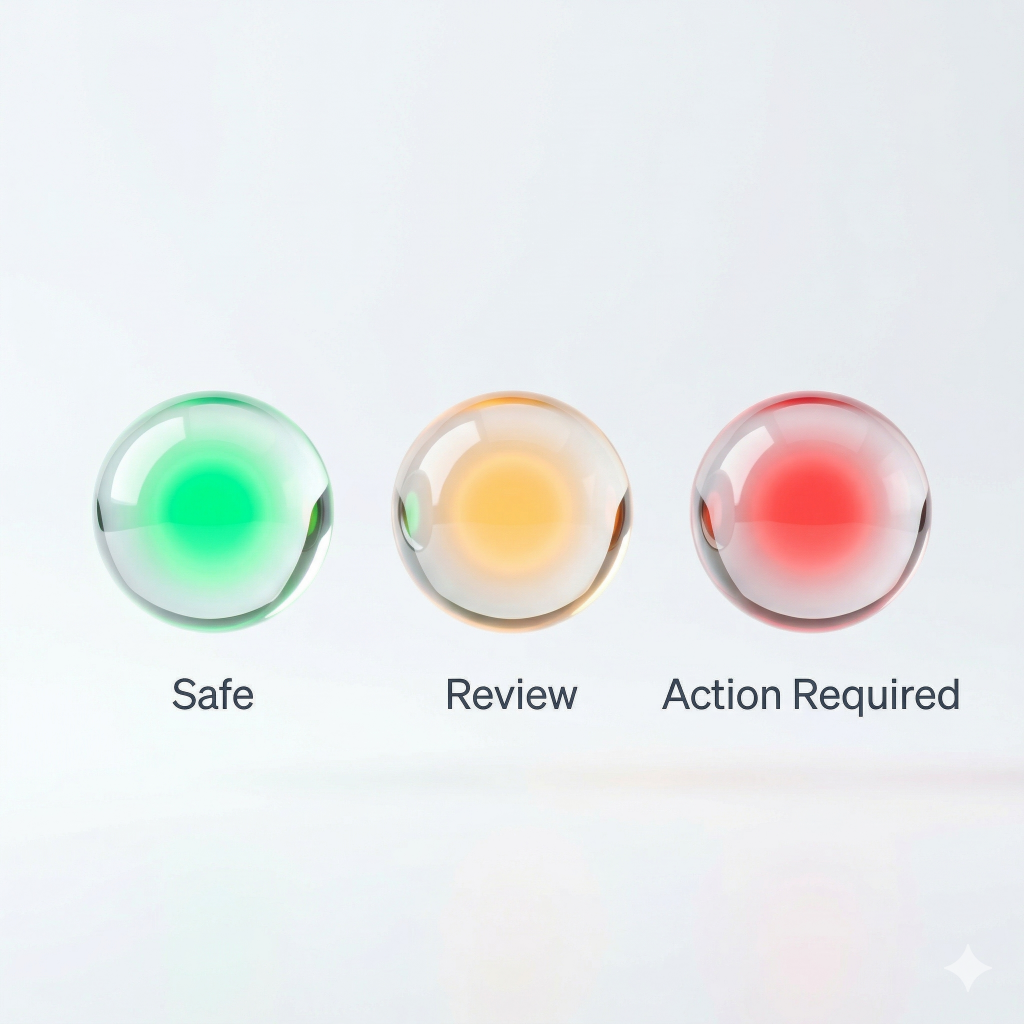
If the scanner finds issues, do not panic. Here is what each rating means and what to do:
This item meets Stripe’s requirements. No action needed.
The element exists but may not fully meet Stripe’s standards. Review the specific recommendation in your report and improve it. These are not immediate blockers but could cause problems during a review.
This element is missing or clearly does not meet requirements. Fix these first. Red items are the most likely to trigger a Stripe restriction.
For a detailed guide on fixing each issue, read our complete Stripe Website Audit Checklist.
Frequently Asked Questions
Is the Stripe Compliance Scanner really free?
Yes, completely free. You can scan your website and see your compliance score without paying anything. We built this as a resource for the international founder community.
Does the scanner connect to my Stripe account?
No. The scanner only analyses your public website. It does not need access to your Stripe account, and it never asks for your Stripe credentials. It checks the same publicly visible information that Stripe’s own crawlers would check.
How accurate is the compliance score?
The scanner checks the same compliance factors that Stripe’s systems look for. While Stripe’s exact algorithm is proprietary, our scanner is built on analysis of thousands of Stripe approvals and rejections across the Launchese customer base.
Can I use the scanner before I apply for Stripe?
Absolutely. In fact, that is the ideal use case. Scan your website, fix any issues, and then apply for Stripe with confidence. First-time approval is much smoother than trying to recover from a restriction.
How often should I run a compliance scan?
We recommend scanning quarterly, after any major website changes, and before applying for any new payment processor. Stripe’s requirements can change, and website updates sometimes accidentally remove compliance elements.
What do I do with the compliance report?
The report is your action plan. Start with the red items (most urgent), then address amber items. Each recommendation includes what to fix and why it matters. If you need help implementing changes, Launchese offers compliance support as part of our business services.
Scan Your Website Now — It Takes 60 Seconds

Your Stripe compliance is only as strong as your weakest page. One missing policy, one broken contact form, or one inconsistent business name can be the difference between smooth payments and a frozen account.
Ready to Check Your Compliance?
- Visit stripe-checker.launchese.com
- Enter your website URL
- Get your compliance score in under 60 seconds
- Receive a detailed report with fix recommendations
Used by founders from 100+ countries. Free forever.
Need more than a scan? Launchese offers complete UK company formation, business banking support, registered office addresses, and ongoing compliance management for international entrepreneurs.
Disclaimer: This article provides general information about website compliance for payment processing. It does not constitute legal, financial, or tax advice. Requirements may change. Always refer to Stripe’s official documentation.