


Getting your Stripe setup for Shopify right is the single most important technical task before you launch a store — because if checkout fails, every click you paid for is wasted. The short answer: in countries where Shopify Payments is available, that is Stripe under the hood and you enable it directly in Shopify admin; in unsupported countries, a UK Ltd unlocks standalone Stripe (or Shopify Payments via your UK entity) so you can accept cards globally.
This 2026 guide is written for non-UK founders in Africa, the Middle East, and Asia who have — or are forming — a UK company and want a clean, approval-ready Stripe connection on Shopify. We’ll cover eligibility, verification, fees, the exact step-by-step, and how to avoid the rejections that trip up most first-timers.

Shopify Payments vs Standalone Stripe — the nuance most guides miss
Here’s what almost no guide tells you plainly: Shopify Payments is powered by Stripe on the back end. When you switch on Shopify Payments, you’re effectively using Stripe — Shopify just wraps it in their own interface and handles the fees for you.
This matters because it changes how you should approach the question of shopify payments vs stripe:
- If Shopify Payments is available in your business country (which, for a UK Ltd, it is), you cannot add standalone Stripe as a third-party gateway — Shopify blocks it. You use Shopify Payments instead.
- If Shopify Payments is NOT available in your country, you can add standalone Stripe as a third-party gateway — but you’ll pay Shopify an extra transaction fee on top of Stripe’s fees.
Shopify Payments is currently available in 30+ markets including the US, UK, Canada, Australia, Ireland, New Zealand, Singapore, Hong Kong, Japan, and most of the EU (Spain, Netherlands, Germany, France, Italy, Belgium, Sweden, Denmark, Portugal, Poland, Austria, and more). For most readers of this guide, the relevant market is the UK — because your UK Ltd is what gives you access.
Who can actually get Stripe on Shopify
Stripe supports 135+ currencies and is available in 50+ countries — but “available” means available to businesses legally based in those countries. If you’re founding from Nigeria, Pakistan, Egypt, Kenya, India, or the UAE, Stripe may not directly support a merchant account tied to your home country.
This is where the UK entity becomes the unlock. A UK limited company gives you a legal business base that Stripe and Shopify Payments both support directly. You don’t need to live in the UK — you just need a properly formed UK Ltd with a registered address and a UK business bank account.
Forming one is straightforward for non-residents. Our LaunchPad package is the cheapest route to a UK company built specifically for non-resident founders, and it gives you the legal foundation Stripe wants to see.

What you need before you start
Before you touch the Shopify settings, get these four things in order. Skipping any of them is the number one cause of stripe verification shopify failures.
| Requirement | Why Stripe wants it |
|---|---|
| A UK limited company | Legal business name + UK company number for verification |
| A UK business bank account | Where Stripe pays out your sales |
| Personal ID of the beneficial owner | Anti-money-laundering / KYC checks |
| A compliant website | T&Cs, privacy policy, refund policy, clear product descriptions |
If you don’t yet have the company and banking sorted, our ProLaunch package bundles formation with more banking and payment partners, while the Digital Pro Suite is tuned for digital and e-commerce businesses with Tide banking and an enhanced registered address.
Step-by-step: setting up Stripe on your Shopify store
Here’s exactly how to add Stripe to Shopify in six clear steps. The route differs slightly depending on whether you’re using Shopify Payments (recommended for UK companies) or standalone Stripe.
Step 1 — Open your payment settings
From your Shopify admin, go to Settings > Payments. This is the control centre for every gateway your store offers.
Step 2 — Activate Shopify Payments (the Stripe-powered option)
Because your UK Ltd is in a supported market, you’ll see Shopify Payments at the top. Click Activate. Remember: this is Stripe under the hood, so you get Stripe’s reliability without paying Shopify’s extra third-party gateway fee.
Step 3 — Enter your business details
Provide your legal company name, UK company number, registered address, and business type. Use the exact details from your Companies House record — any mismatch slows verification.
Step 4 — Add the beneficial owner’s ID
Upload a clear passport or national ID for the director/owner. Make sure the name matches your company filing.
Step 5 — Connect your UK business bank account
Enter your UK account number and sort code so Shopify/Stripe can pay out your sales. This must be a business account in the company’s name.
Step 6 — Test, then go live
Use test mode to simulate a transaction end to end before launch. Stripe’s test mode lets you confirm the whole checkout flow works — then switch to live mode and place a small real order to confirm payouts land.
If you prefer the standalone stripe shopify integration route (only possible where Shopify Payments isn’t available), you’d instead choose “Add payment methods” under Settings > Payments, search for Stripe, and paste your live API keys from your Stripe dashboard.
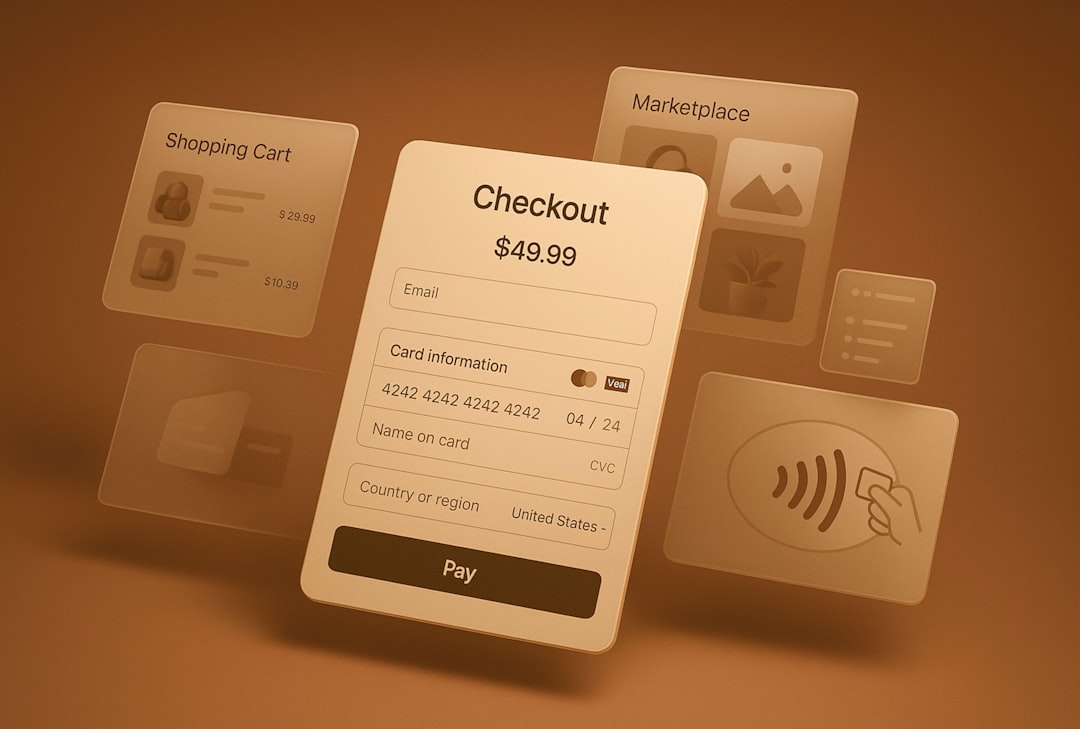
Stripe verification for non-UK founders
Verification is where non-UK founders most often get stuck. Stripe runs Know-Your-Customer and anti-money-laundering checks, and it’s stricter on businesses with international ownership. To pass cleanly, your details must line up across every document.
What Stripe needs:
- Legal business name (matching Companies House)
- Registered UK address
- UK company number
- Personal ID of the beneficial owner
- UK business bank account
- A compliant, live website
Common rejections and how to avoid them:
- Address mismatch — your Shopify address, Stripe address, and company filing must all match.
- Thin website — no T&Cs, no refund policy, vague product descriptions. Fix this before applying.
- Personal account used for payouts — always use a UK business bank account.
- High-risk product flags — describe what you sell clearly and honestly.
We cover the document side in depth in our guide on Stripe verification for non-UK founders, and if you’ve already been suspended, read how to stop Stripe from suspending your account. For the official current requirements, you can also check Stripe’s UK pricing and verification pages.
Fees breakdown — what Stripe and Shopify actually charge
Understanding stripe shopify fees stops nasty surprises in your margins. There are two layers: Stripe’s processing fee and (only for third-party gateways) Shopify’s extra cut.
| Fee type | Typical rate |
|---|---|
| Stripe — UK cards | 1.5% + 20p |
| Stripe — US-based | 2.9% + $0.30 |
| Shopify extra (third-party gateways only) | 0.5%–2% depending on plan |
The key takeaway: using Shopify Payments (Stripe under the hood) avoids the 0.5%–2% third-party surcharge entirely. That’s why a UK Ltd is such a strong play — it lets you use Shopify Payments rather than bolting on standalone Stripe and paying twice. Always confirm current rates at stripe.com/gb/pricing, as they change.
Wondering whether another provider is cheaper for your model? Our breakdown of Stripe vs PayPal vs Wise for Shopify stores compares the real costs side by side.
Common issues and fixes
Even with a clean stripe shopify setup 2026, you may hit one of these snags:
- Stripe not appearing in Payments — you’re in a Shopify Payments market, so use Shopify Payments instead of standalone Stripe.
- Payments failing — usually verification incomplete; check your Stripe dashboard for outstanding document requests.
- Currency mismatch — set your store currency and Stripe payout currency deliberately; Stripe supports 135+ currencies but conversion fees apply.
- Still in test mode — remember to toggle to live mode before you announce launch.
After setup: making your site Stripe-ready
Approval isn’t only about your company — it’s about your website. Run through this compliance checklist before and after you go live:
- ✅ Terms & Conditions published
- ✅ Privacy policy published
- ✅ Refund / returns policy visible
- ✅ Clear, honest product descriptions
- ✅ Contact details and business name on the site
- ✅ Working SSL (https) on checkout
Not sure where the gaps are? Use our free Stripe compliance scanner to flag issues automatically. If you’re scaling and crossing the UK VAT threshold, also sort your VAT registration — and read our UK e-commerce VAT guide first.
Frequently asked questions
Can I use Stripe on Shopify without a UK company?
Only if you’re legally based in one of the 50+ countries Stripe supports. If your home country isn’t supported, a UK Ltd is the cleanest unlock — it gives you Shopify Payments (Stripe under the hood) and a UK business bank account for payouts.
Is Shopify Payments the same as Stripe?
Functionally, yes — Shopify Payments is powered by Stripe on the back end. The main difference is that Shopify Payments avoids the extra 0.5%–2% third-party gateway fee Shopify charges when you connect standalone Stripe.
Why won’t Stripe appear as an option in my Shopify Payments settings?
If your business country supports Shopify Payments, Shopify hides the standalone Stripe option on purpose — you’re meant to use Shopify Payments instead. That’s normal and usually cheaper.
How long does Stripe verification take for non-UK founders?
It varies, but a clean application with matching company, address, ID, and a compliant website is often approved quickly. Mismatched details or a thin website are the most common causes of delay or rejection.
What are the standard Stripe fees in the UK?
Roughly 1.5% + 20p for UK cards, with higher rates for international and US-based cards. Always confirm current pricing at stripe.com/gb/pricing before budgeting your margins.
Want it all handled end to end — company, banking, and an approval-ready Stripe? Compare options on our plans page or get dedicated help with Stripe consulting.
Related reading